
A workspace that works for your team

Office Floor Plan Generator

Create an office floor plan concept before moving furniture or committing to a lease. Set your dimensions, desk target, and shared spaces, then describe how your team works. Compare the requested office floor plan arrangement with your needs for meetings, focused work, and visitor access. Each office floor plan is an illustrative image for discussion, with scale, desk counts, and building requirements still to check.

Generated images are illustrative concepts for discussion. They are not measured drawings and do not verify scale, desk counts, emergency exits, or building codes. Check your space with a qualified professional before making physical changes.

How to Specify Your Office Floor Plan

Prepare five essential details to guide your illustrative office floor plan concept:

  • Dimensions: Enter length and width or total area in feet or metres as requests for your office floor plan, then review the image against real measurements.
  • Layout Type: Choose an open layout, private offices, cubicles, a hybrid workplace, a coworking space, or an executive suite for your office floor plan.
  • Target Desks: Request a target of 1 to 200 desks to describe the workstation arrangement you want in your office floor plan.
  • Support Spaces: Select a conference room, quiet area, break room, reception, or storage to include in your office floor plan brief.
  • View Style: Request a Blueprint, 2.5D top-down, or 3D Isometric image view to visualize your office floor plan concept from different perspectives.

Office layout example preview

Actions become active once a concept image is successfully returned.

Isometric office floor plan concept showing shared desk groups, a glass meeting room, quiet rooms, reception, and a break lounge.
Start with Your Office Floor Plan PrioritiesEnter your room dimensions, select an office layout type, and describe the arrangement you want to explore in your office floor plan.

Create Your Office Floor Plan

Set your space dimensions, target desk count, and shared rooms to generate an illustrative office floor plan concept.

How would you like to enter the size?

Working Unit: Metres or Feet

Requested dimensions guide the layout concept. Output images are not verified to scale.

Request 1 to 200 desks. This is a layout target, not verified capacity.

Add useful spaces

Describe fixed features, visitor areas, and quiet work. Do not include personal or confidential information.

Maximum 1,680 characters.

Choose an image view

These choices request different image views, not an editable drawing or a navigable 3D model.

Checking your available credits…

Isometric office floor plan illustration with distinct work, meeting, quiet, reception, and break areas.
Generated images are illustrative concepts for discussion. They are not measured drawings and do not verify scale, desk counts, emergency exits, or building codes. Check your space with a qualified professional before making physical changes.

Start with the way you work

Design an Effective Office Floor Plan Around Your Workflow

Shape your office floor plan around desk work, meetings, quiet work, and breaks through four practical choices.

Set the Size of Your Office Floor Plan

Enter length and width or total area in metres or feet, noting fixed columns, doors, and windows in your brief. These inputs describe the intended office floor plan footprint; inspect the image because its proportions and scale are not verified.
Choose a Desk Target for Your Office Floor Plan

Enter a target from 1 to 200 desks to describe the arrangement you want in your office floor plan. The target does not verify desk numbers, furniture fit, or permitted occupancy.

Add Shared Rooms to Your Office Floor Plan

Select shared spaces and describe which activities should sit together or apart in your office floor plan. Review the image for these requested relationships; the tool does not measure sound or confirm acoustic performance.

Compare Office Floor Plan Alternatives

Keep the footprint and desk target steady, then change one layout setting or relationship in your brief. Compare each office floor plan image for the requested desk groups, room relationships, and routes. Check real light conditions, clearances, and privacy separately.

Three places to start

Explore Practical Office Floor Plan Examples for Every Work Style

Choose an office floor plan example that reflects how your team works. All sizes and desk targets are illustrative inputs, not capacity recommendations.

01

Open Team Workspace

Footprint & Target
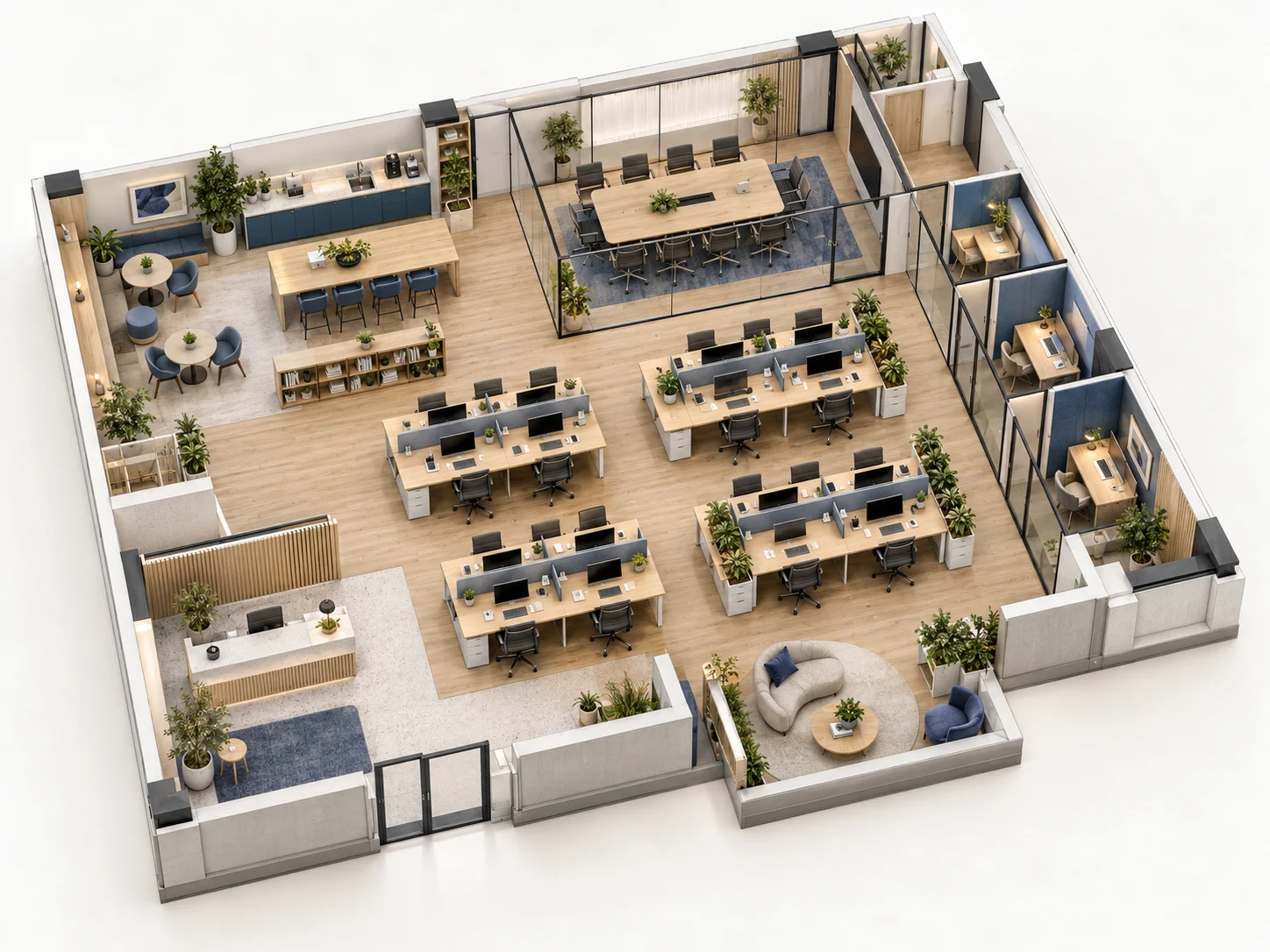
15 by 10 metres (150 m²), target of 12 desks.
Included Spaces
Conference Room, Break Room, and Storage.

Use this open office floor plan to explore grouped desks, a meeting room, a separate break area, and storage. Review how walking routes and conversation areas relate to the places where people need to focus.

02

Private Office Suite

Footprint & Target
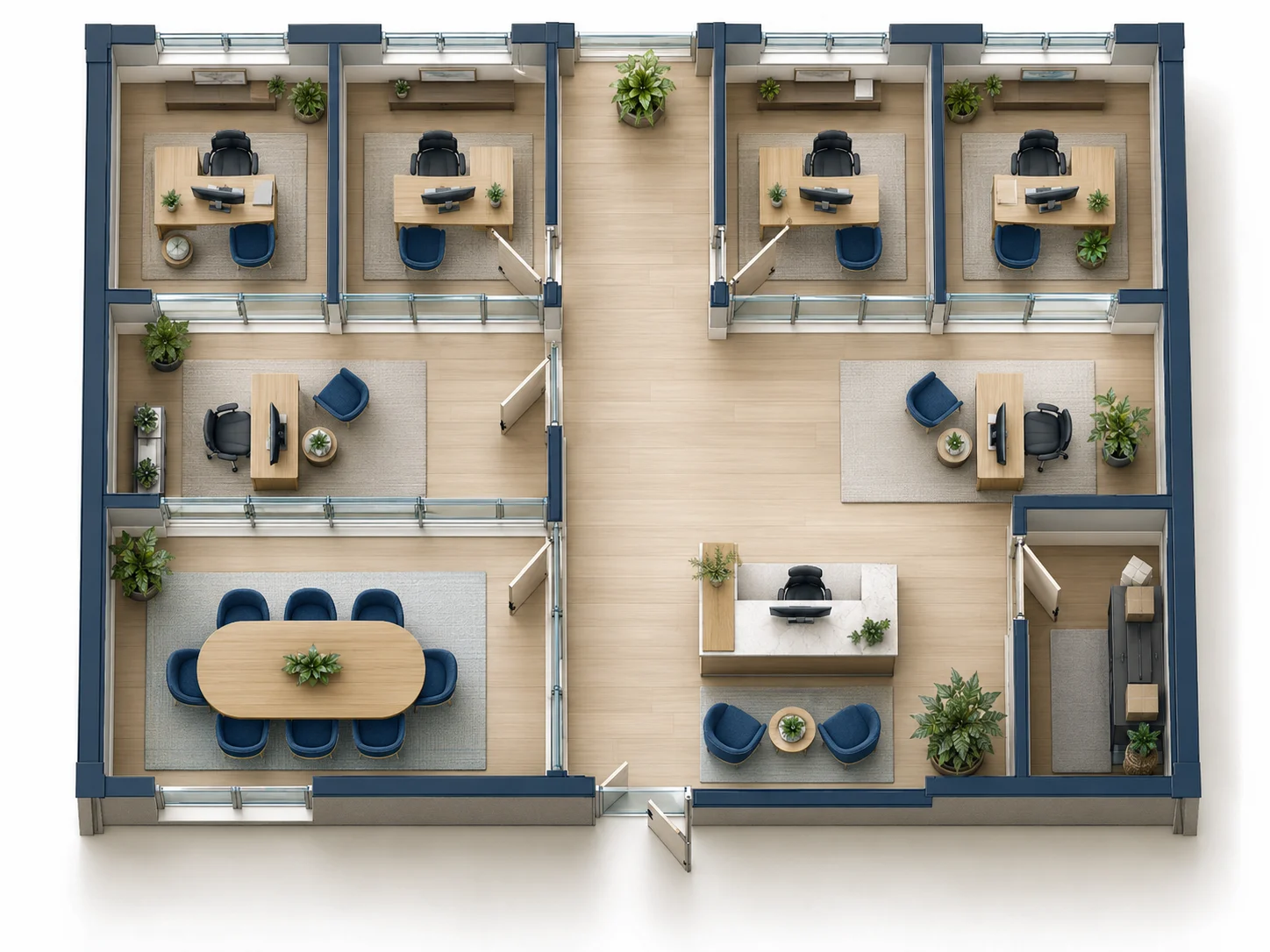
14 by 10 metres (140 m²), target of 6 desks.
Included Spaces
Conference Room, Reception, and Storage.

Use this private office floor plan to explore enclosed work rooms, shared reception, and a meeting room. Compare visitor routes with the areas that need quiet or privacy.

03

Hybrid Team Hub

Footprint & Target
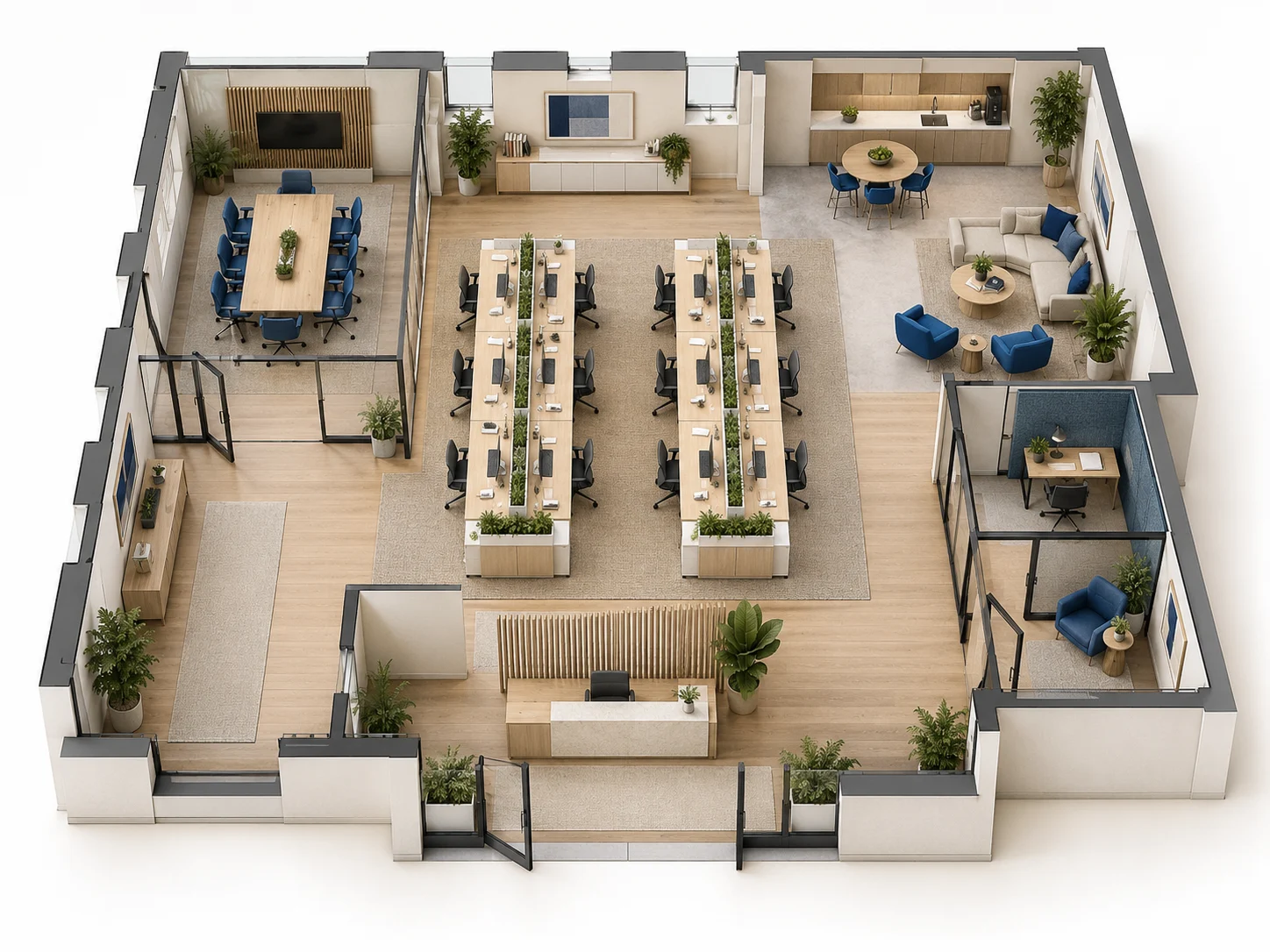
18 by 12 metres (216 m²), target of 16 desks.
Included Spaces
Conference Room, Break Room, Reception, and Quiet Area.

Use this hybrid office floor plan to explore shared desk groups, three small quiet rooms, meeting space, reception, and a separate break area. Review where conversations and focused work might overlap.

Selecting a starter loads its settings and displays a bundled static office floor plan preview without running an image generation request.

From space to conversation

Generate Your Office Floor Plan in Three Practical Steps

Start your office floor plan with the space you have, then review the requested arrangement against the work it needs to support.

Overhead floor plan preview of a private office suite showing enclosed perimeter rooms, a shared corridor, reception, and a meeting room.

Set Size and Desk Targets for Your Office Floor Plan

Measure the space and note fixed walls, columns, doors, and windows. Enter your size, layout type, and desk target. Describe important relationships in the brief so your office floor plan request reflects how the team works.

    Review Your Generated Office Floor Plan Concept

    When your concept image arrives, inspect how the office floor plan allocates floor area across three critical operational criteria:

    • Walking routes: In the office floor plan image, look for clear-looking paths between desks, shared rooms, and the entrance; check actual clearances separately.
    • Noise and privacy: Review where meeting and break areas sit relative to the quiet parts of your office floor plan.
    • Daylight: Use the office floor plan to inspect whether desk groups sit near windows, then check light conditions in the actual space.

    If spatial relationships require refinement, adjust your prompt brief and request another office floor plan concept to explore alternative arrangements.

    Review the Office Floor Plan with a Qualified Professional

    Use the downloaded concept image, when available, to discuss your office floor plan with your team or a qualified professional. The image is not a measured drawing. Before buying furniture or changing the space, have real measurements, access, building services, and applicable requirements checked for your site.

      Office planning questions

      Frequently Asked Questions About Office Floor Plan Design

      Find clear answers on preparing inputs, evaluating concept images, and choosing the right tools for your office floor plan.

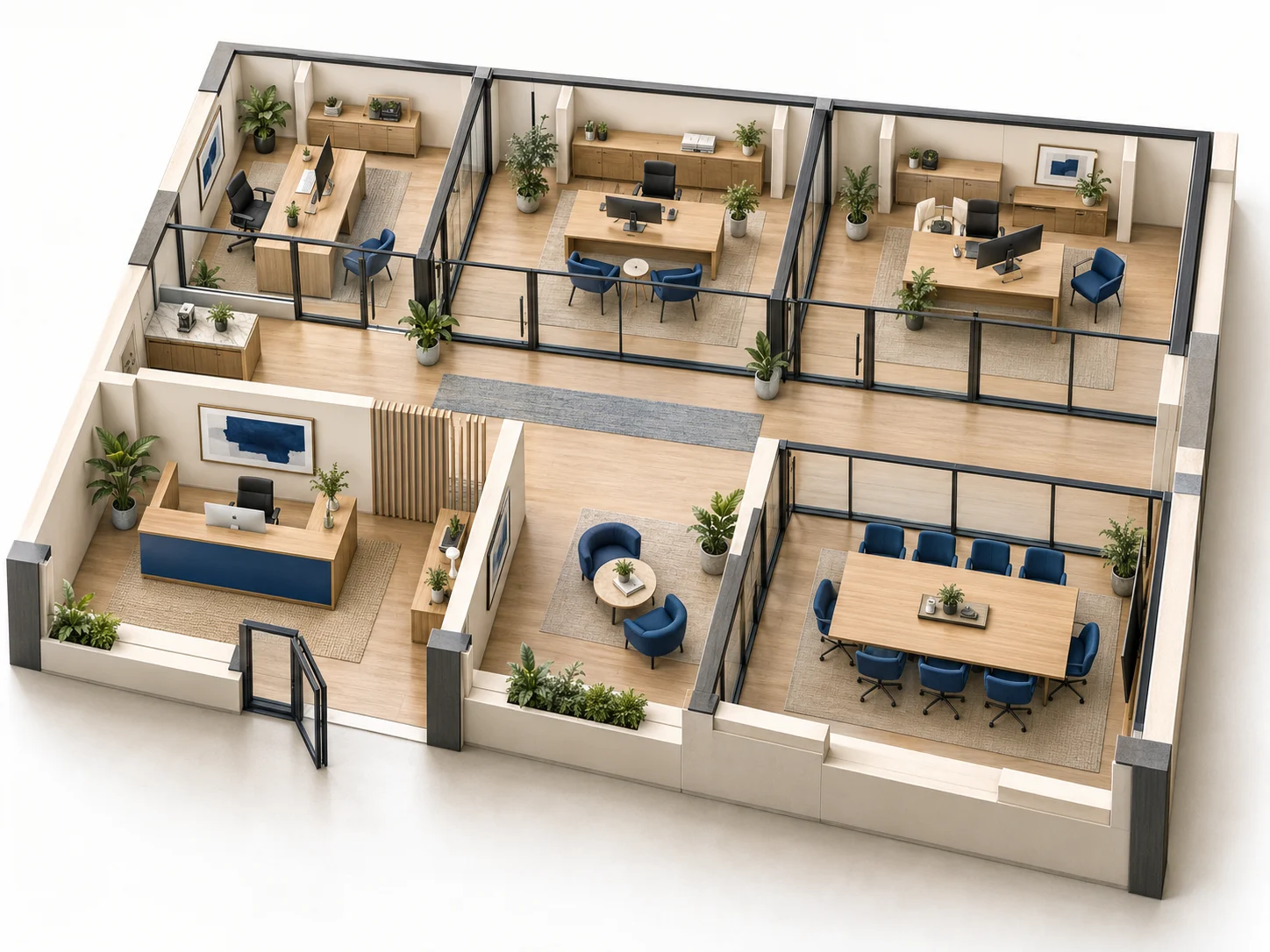
      Cutaway office floor plan illustration showing glass-fronted private work rooms, a shared corridor, reception, and meeting space.
      How do I create an office floor plan for a small space?

      Start with exact room dimensions and list your essential daily work activities. When planning a compact office floor plan, request only essential workstations and prioritize dual-purpose areas like a conference table that doubles as casual dining space. Once your concept image is generated, review walking corridors and furniture dimensions carefully against your real physical space.

      Can this tool help organize an office floor plan for a hybrid team?

      Yes. Choose Hybrid Office and describe shared desk groups, quiet rooms, and meeting areas for your office floor plan. The output is an illustrative concept image; it does not include desk-booking, schedules, or live occupancy tracking.

      What is the best way to arrange desks and meeting rooms in an office floor plan?

      One starting point is to place reception and the main meeting room near the entrance so visitors can reach them without crossing quiet work areas. In your office floor plan brief, describe which desk groups should sit near windows and which activities need separation. Review the concept against real doors, windows, and furniture sizes.

      What does it cost to generate an office floor plan concept?

      An office floor plan image request costs 3 credits for Blueprint, 4 for 2.5D, or 5 for 3D Isometric. The current free allowance is up to 10 credits per US Eastern calendar day; signing in carries over that day's remaining allowance. Daily and paid balances stay separate and cannot be combined for one request. Applying a starter preview and downloading an available result are free. Review the displayed cost and Pricing before submitting.

      Can I upload an existing image to create an office floor plan?

      No, this office floor plan tool does not have an image upload button. If you have an existing floor plan image that you want to revise visually, use the Floor Plan Editor to request image edits. If you want to draw architectural partitions and place furniture symbols manually on a blank digital canvas, use the Floor Plan Creator.

      How do I compare different layout options for the same office floor plan?

      Keep the footprint and desk target the same, then change one setting or brief instruction at a time. For example, request an open layout with 12 desks, then request a private layout with the same target. Review each returned office floor plan against the same questions about walking routes, daylight, and privacy.

      Can I download and share my office floor plan concept?

      Yes. When a concept image is successfully generated, use the download button, when available, to save and share it for team discussions. Downloading an office floor plan from this tool provides a visual image file rather than an editable CAD drawing, DWG vector file, or project model.

      What is the difference between an office floor plan concept and an editable CAD drawing?

      An office floor plan concept is an image of room relationships, desks, and circulation. CAD software provides editable drawings, but their accuracy depends on measurements, inputs, and professional checks. Neither an illustration nor an editable drawing automatically confirms construction readiness. Use your office floor plan concept for discussion while the physical site and applicable requirements are reviewed.

      Does the desk target confirm capacity for the office floor plan?

      No. The 1–200 desk range is an input limit, not a capacity calculation. The generated office floor plan does not verify desk counts, furniture fit, circulation, accessibility, ventilation, fire safety, or permitted occupancy. Have actual capacity checked for your building before implementation.

      A workspace that works for your team

      Create Your Office Floor Plan Concept

      Organize your workplace requirements into a clear visual arrangement before making commercial lease commitments or buying furniture. Enter your room dimensions, select a layout style, and specify an advisory desk target to generate your first office floor plan concept image.

      • Request 1 to 200 desks. This is a layout target, not verified capacity.
      • Generated images are illustrative concepts for discussion. They are not measured drawings and do not verify scale, desk counts, emergency exits, or building codes. Check your space with a qualified professional before making physical changes.